E-invoicing

E-invoices for business clients, without the jargon

Companies and public authorities increasingly ask for e-invoices. giganizr creates them straight from your invoice in the right format – no need to study standards.

workspace_premium Business plan · included in the 60-day trial

Try it free for 60 days · no credit card · band members free

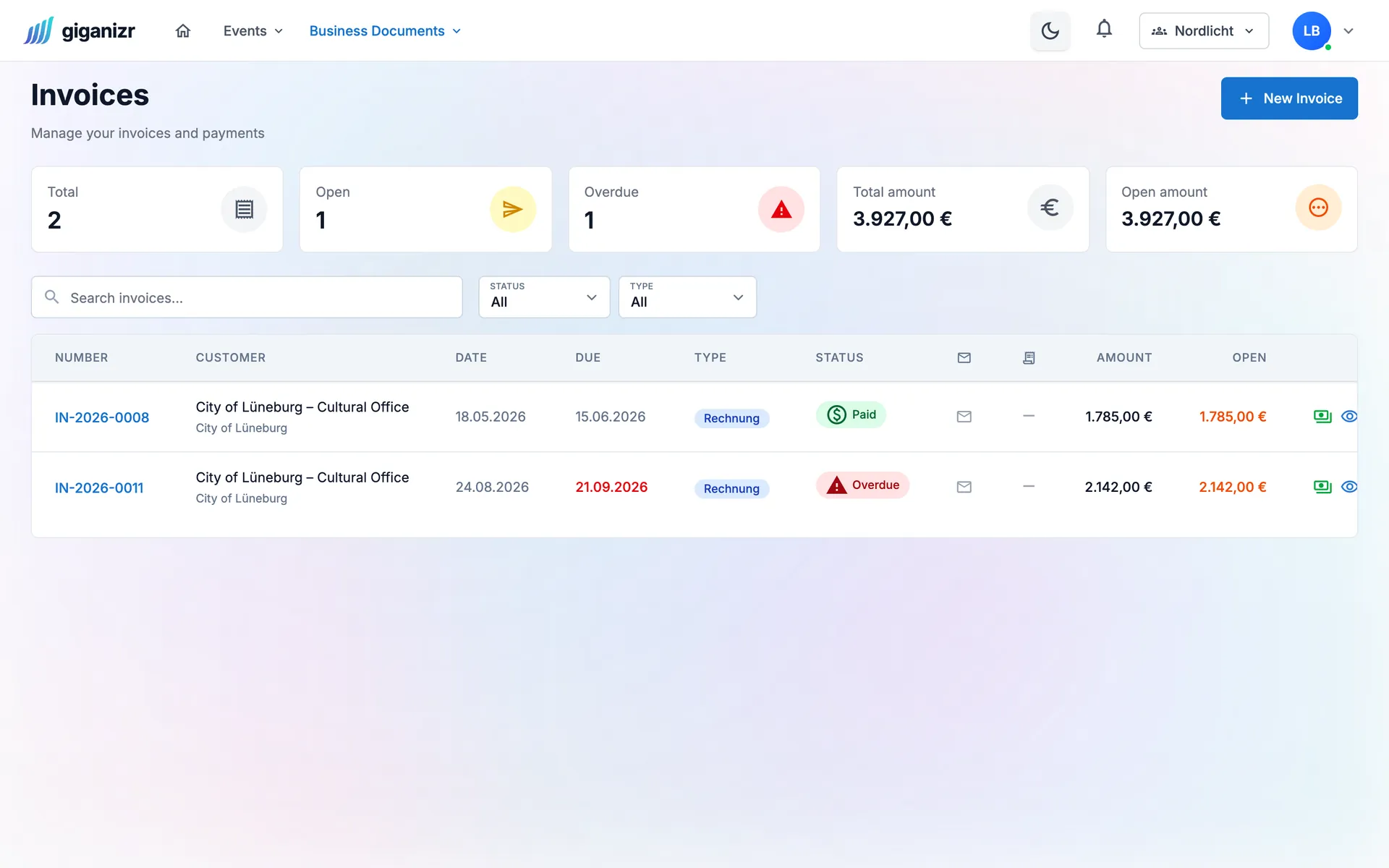
Invoice overview with one paid and one overdue invoice and the open amount

What you need to know – and what giganizr handles

E-invoicing sounds complicated. For you it’s a setting on the client.

Formats

The right format for every client

For companies there’s ZUGFeRD: a regular PDF with embedded invoice data. For public authorities there’s XRechnung. You set once per client what they need.

  • ZUGFeRD – a PDF with invoice data
  • XRechnung – for authorities and public clients
  • Format preset per client, adjustable per invoice

Public clients

For city festivals and cultural offices too

If you play for cities or cultural offices, the invoice often needs a routing ID (Leitweg-ID). You store it once on the client, giganizr fills it in.

  • Store the routing ID on the client
  • Built-in check before the invoice goes out
  • Test invoice before your first real one

Small business

Also under the small-business rule

If you use the small-business VAT rule, giganizr shows no VAT and writes the required note into the PDF and the e-invoice.

  • § 19 UStG note added automatically
  • VAT reliably stays at zero
  • Your e-invoices stay available on the invoice

And also

  • XRechnung 3.0

    The format for invoices to German public authorities.

  • ZUGFeRD 2.3

    PDF and invoice data in one file – for business clients.

  • Checked before sending

    giganizr checks the e-invoice against the standard and explains errors in plain words.

  • Test first

    Create a test e-invoice with one click before the first real one goes out.

  • Stored on the invoice

    Every e-invoice created stays available on its invoice.

  • Adjustable per invoice

    A default format per company, exceptions per invoice any time.

How to send your first e-invoice

Set up once, then it comes with every invoice.

  1. 1

    Set it up once

    Enter your company details and the default format.

  2. 2

    Prepare the client

    Set the format and – for authorities – the routing ID on the client.

  3. 3

    Write the invoice

    As usual. The e-invoice is created automatically alongside.

Frequently asked questions about e-invoicing

The essentials, without the jargon.

What’s the difference between XRechnung and ZUGFeRD?

XRechnung is a pure data file and required for invoices to German public authorities. ZUGFeRD is a PDF with embedded invoice data – ideal for business clients, because people and accounting software can both read it.

Do I need a routing ID?

For invoices to public clients in Germany, yes. You store it on the client and giganizr adds it to the XRechnung. Business clients don’t need one.

Does it work under the small-business rule?

Yes. With the small-business rule, giganizr shows no VAT and writes the § 19 UStG note into the PDF and the e-invoice automatically.

Is the e-invoice checked?

Yes. giganizr checks the format and the rules of the standard and shows you the result right away – before and after sending.

Which plan includes e-invoicing?

The Business plan, together with quotes, invoices and payment reminders. You can try it during the free trial.

Ready for e-invoicing?

Try it for free and create your first test invoice in a few minutes.

Try it free for 60 days · no credit card · band members free