Setlists & repertoire

Your setlist in minutes, not hours

Drag your songs from the repertoire into the setlist. giganizr adds up running time and breaks, warns you when a set runs long and turns it into a stage PDF for the whole band.

Try it free for 60 days · no credit card · band members free

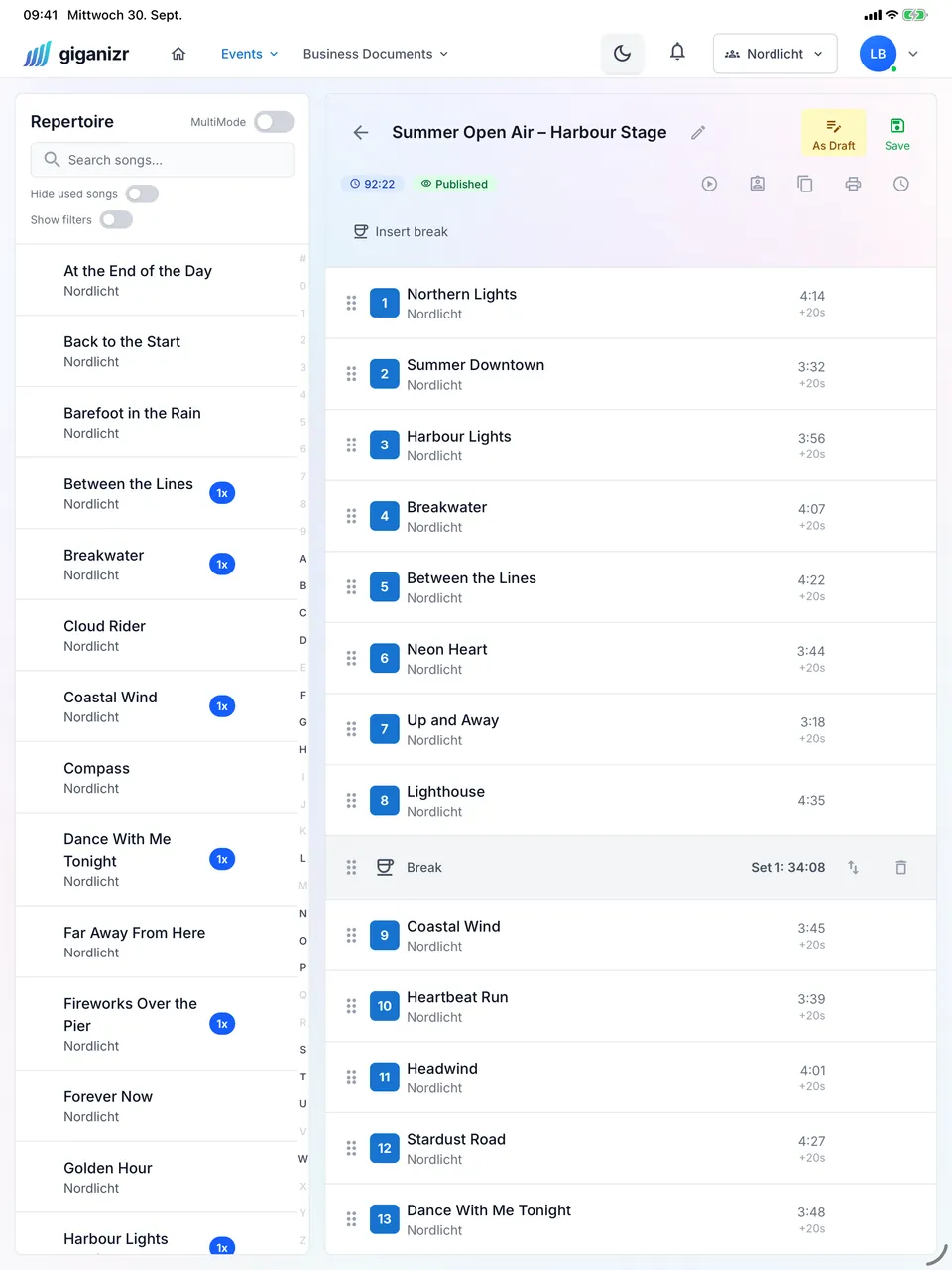
Setlist on the iPad with repertoire and running times
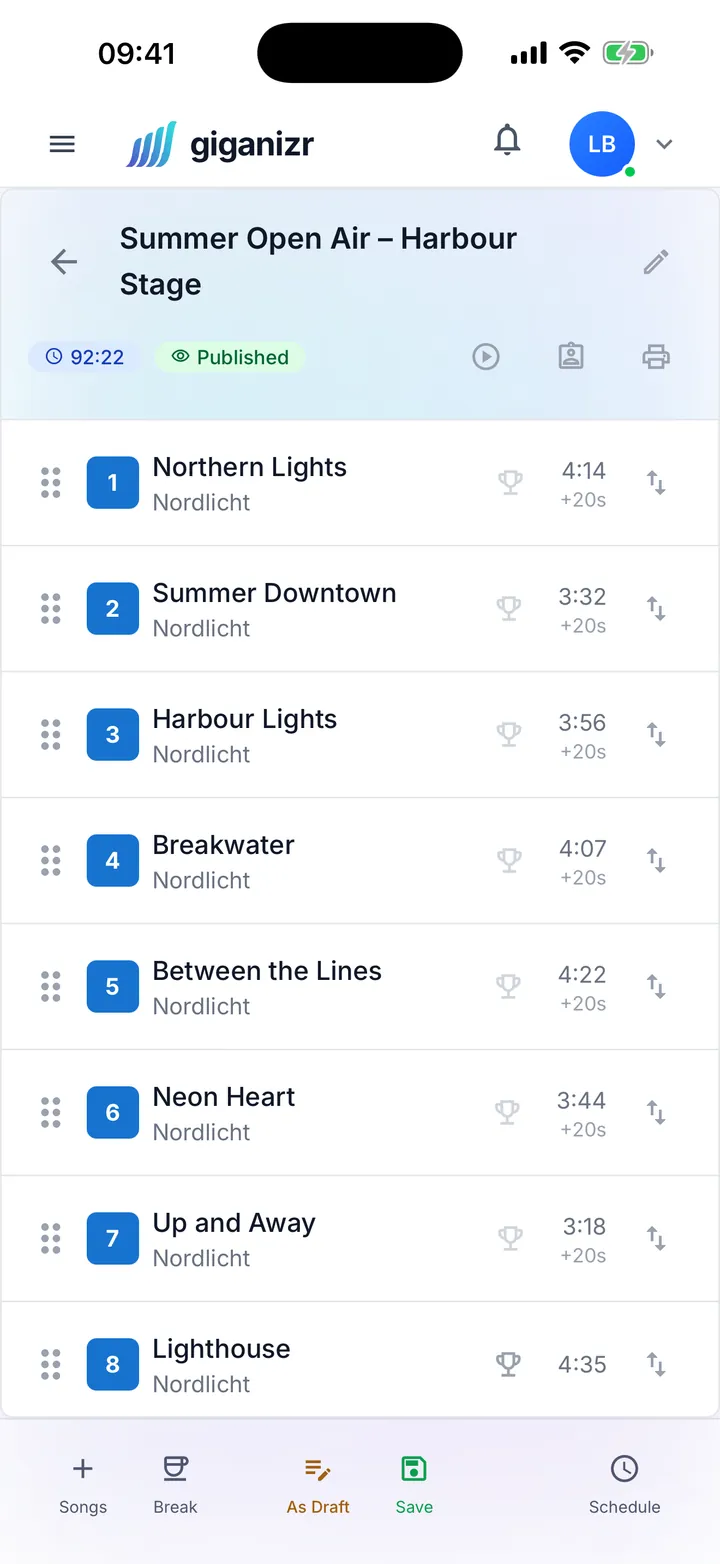
Setlist on the iPhone with numbered songs and running times

From repertoire to stage

Three things you no longer do by hand before the next gig.

Repertoire

One repertoire for the whole band

Key, tempo, duration, sheets and recordings live right on the song – and everyone in the band sees the same version. No more “which PDF is the current one?”.

  • Bring your song list over from Excel or type it in
  • Sheets, recordings and notes on every song
  • Tags like “party” or “ballad” for quick filtering
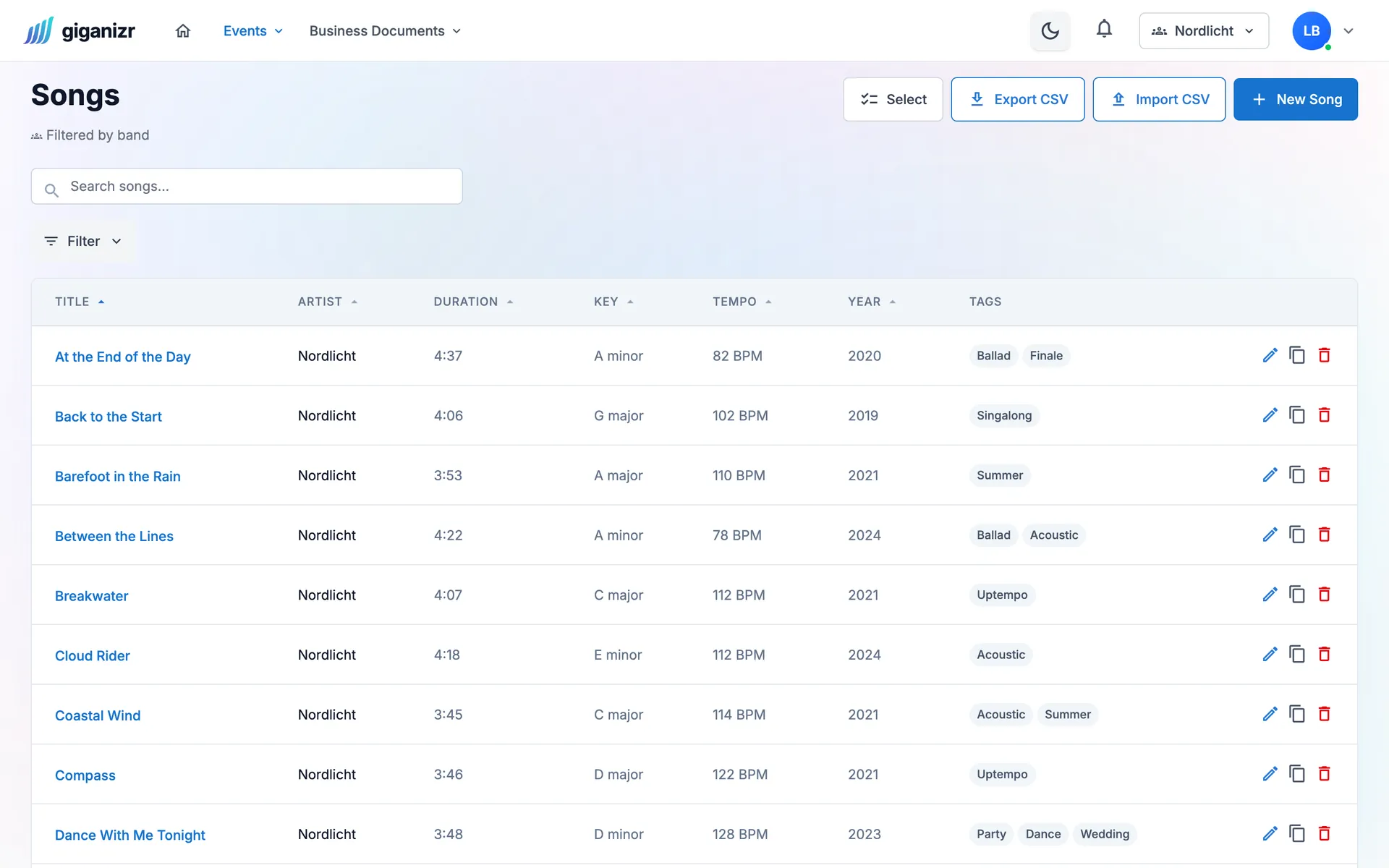
Song list with key, tempo, duration and tags, plus buttons for CSV import and export

Running time

The running time adds itself up

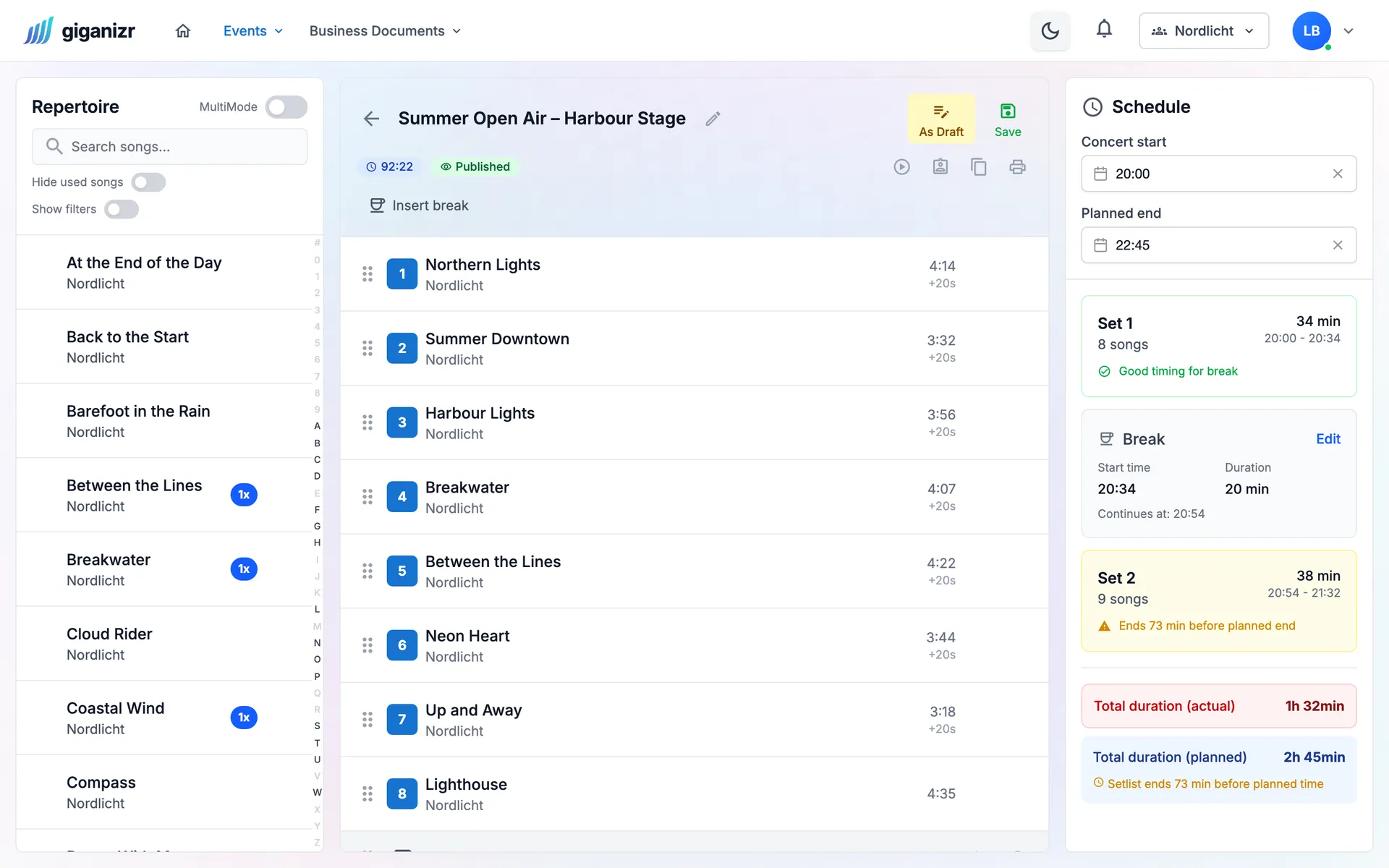
You build sets, breaks and encores by drag and drop. giganizr counts the minutes and shows you when a set runs into the break or the show ends too early.

  • Use songs more than once, e.g. as an encore
  • Breaks with their own length
  • On your computer, tablet and phone
giganizr setlist editor: the repertoire on the left, the setlist for the Summer Open Air in the middle, the schedule on the right with a note that the show ends too early

On stage

Ready for the stage

The setlist goes out as an easy-to-read stage PDF – or straight into giganizr Stage, where everyone has their sheets in the right order. The GEMA list for the promoter is one click away.

  • Stage PDF with large type, one set per page
  • GEMA list with your songs’ GEMA numbers
  • Export for forScore and MobileSheets
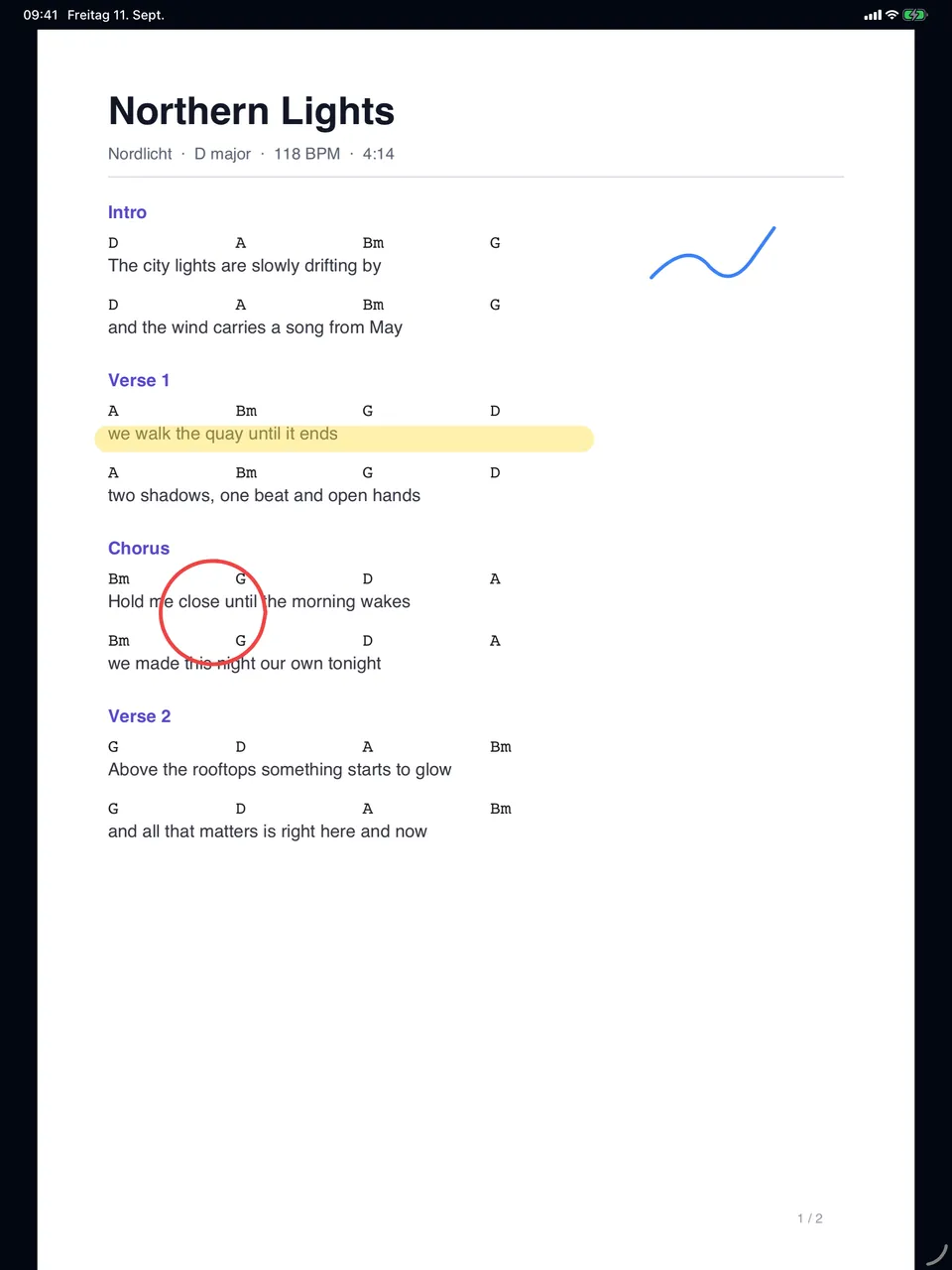
giganizr Stage on the iPad: sheet music with handwritten markings

And also

  • Sort with your finger

    Hold and drag songs on your tablet – handy in the middle of rehearsal.

  • Already in the set?

    A counter in the repertoire shows how often a song is planned.

  • Draft first, then for everyone

    The band only sees the setlist once you publish it.

  • Linked to the gig

    The setlist belongs to the concert, including start and planned end.

  • Design your own lists

    Pick columns like key, tempo or tags for your PDF lists.

  • Repertoire as a spreadsheet

    Download your songs as a CSV file at any time.

How to get to your first setlist

Three steps from scribbled list to stage list.

  1. 1

    Add your songs

    Type in your songs or bring over your list from Excel – with key, tempo and duration.

  2. 2

    Drag the setlist together

    Drag songs from the repertoire into the setlist, add breaks and encores. The running time follows along.

  3. 3

    Share with the band

    Publish, print a stage PDF or put it on everyone’s tablet with giganizr Stage.

Frequently asked questions about setlists

Short answers about setlists and repertoire.

Can I put a song into a setlist more than once?

Yes, as often as you like – say as the opener and the encore. A counter in the repertoire shows how often a song is already planned.

How does giganizr calculate the running time?

From the song durations, the breaks and a short changeover between songs (20 seconds by default, adjustable per setlist). Once the concert start is set, you also see when each set ends.

How do the sheets get on stage?

The easiest way is giganizr Stage, our app for the stage: everyone sees their own sheets in setlist order. Alternatively, export the setlist for forScore or MobileSheets.

Does it work on an iPad?

Yes. You move songs with your finger: press, hold and drag. So you can rearrange the setlist right in rehearsal.

What do I need for the GEMA list?

Add the GEMA number to your songs. giganizr turns them into the list for the promoter with one click. The GEMA list is included from the Band plan.

Can several bands use the same songs?

Yes. A song can belong to one or several bands. If you play in more than one band, you switch between them in the top bar.

Ready for your first setlist?

Create an account, bring your songs, get going – in a few minutes.

Try it free for 60 days · no credit card · band members free