Integrations

Fits with what you already use

Your dates land in your calendar, your setlists in your sheet music app and your song lists come from Excel. giganizr fits into your routine instead of turning it upside down.

workspace_premium From Band · included in the 60-day trial

Try it free for 60 days · no credit card · band members free

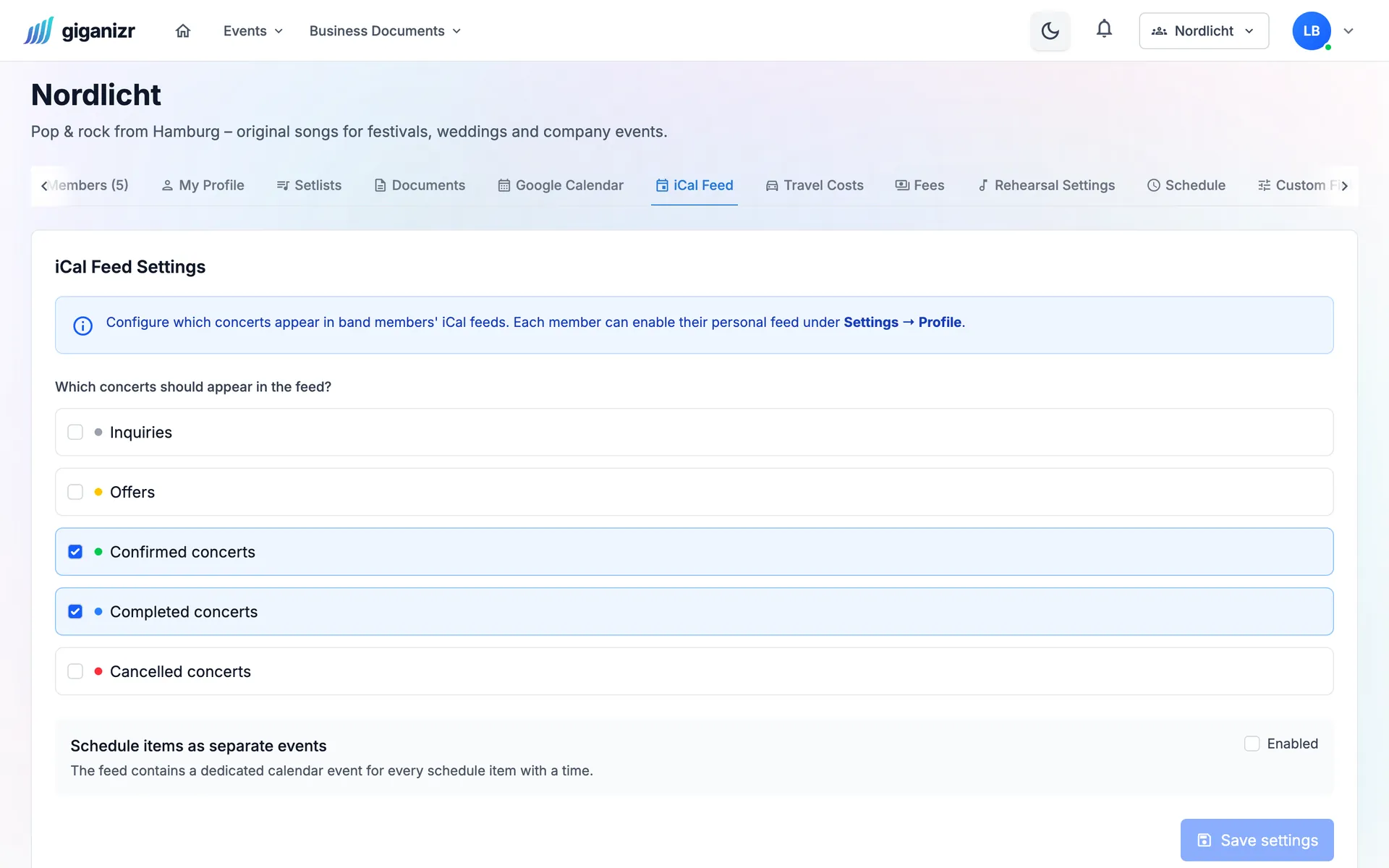
Calendar subscription settings: confirmed and completed concerts appear in the calendar

Not an island

giganizr talks to the tools your band already runs on.

Calendar

Every date in your own calendar

Connect your Google Calendar and gigs and rehearsals land there automatically. If you use Apple or Outlook calendars, subscribe to your personal calendar link.

  • Google Calendar, optionally separate for rehearsals
  • Calendar subscription for Apple, Outlook and others
  • You choose which concerts appear in the subscription
Sheet music apps

For the sheet music app of your choice

The easiest way is giganizr Stage, our app for the stage. If you play from forScore or MobileSheets, export the setlist straight for it.

  • giganizr Stage for tablet and phone
  • Export for forScore
  • Export for MobileSheets

workspace_premium From Band Pro · included in the 60-day trial

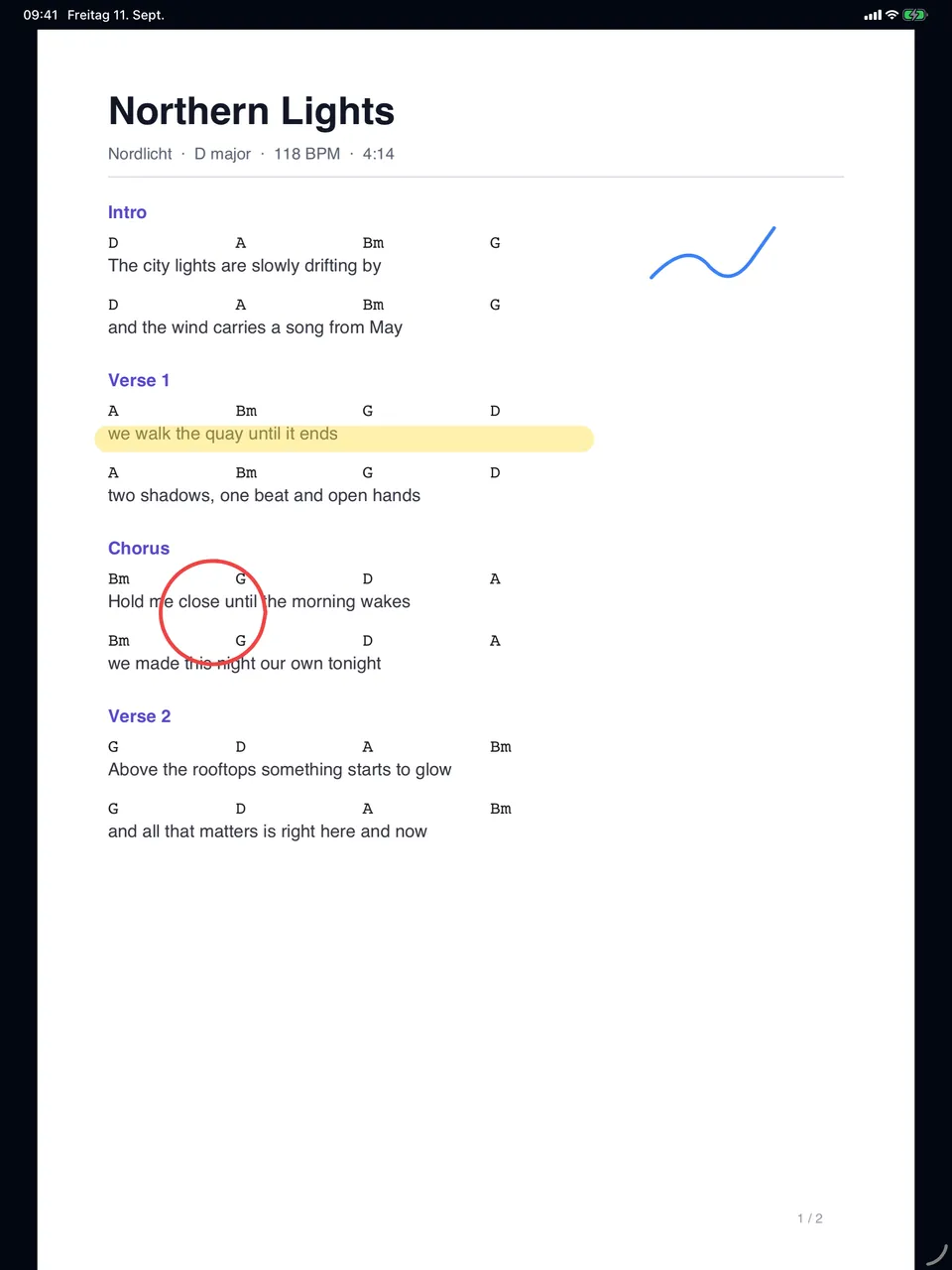
giganizr Stage on the iPad: sheet music with handwritten markings

Excel

Your song list moves in easily

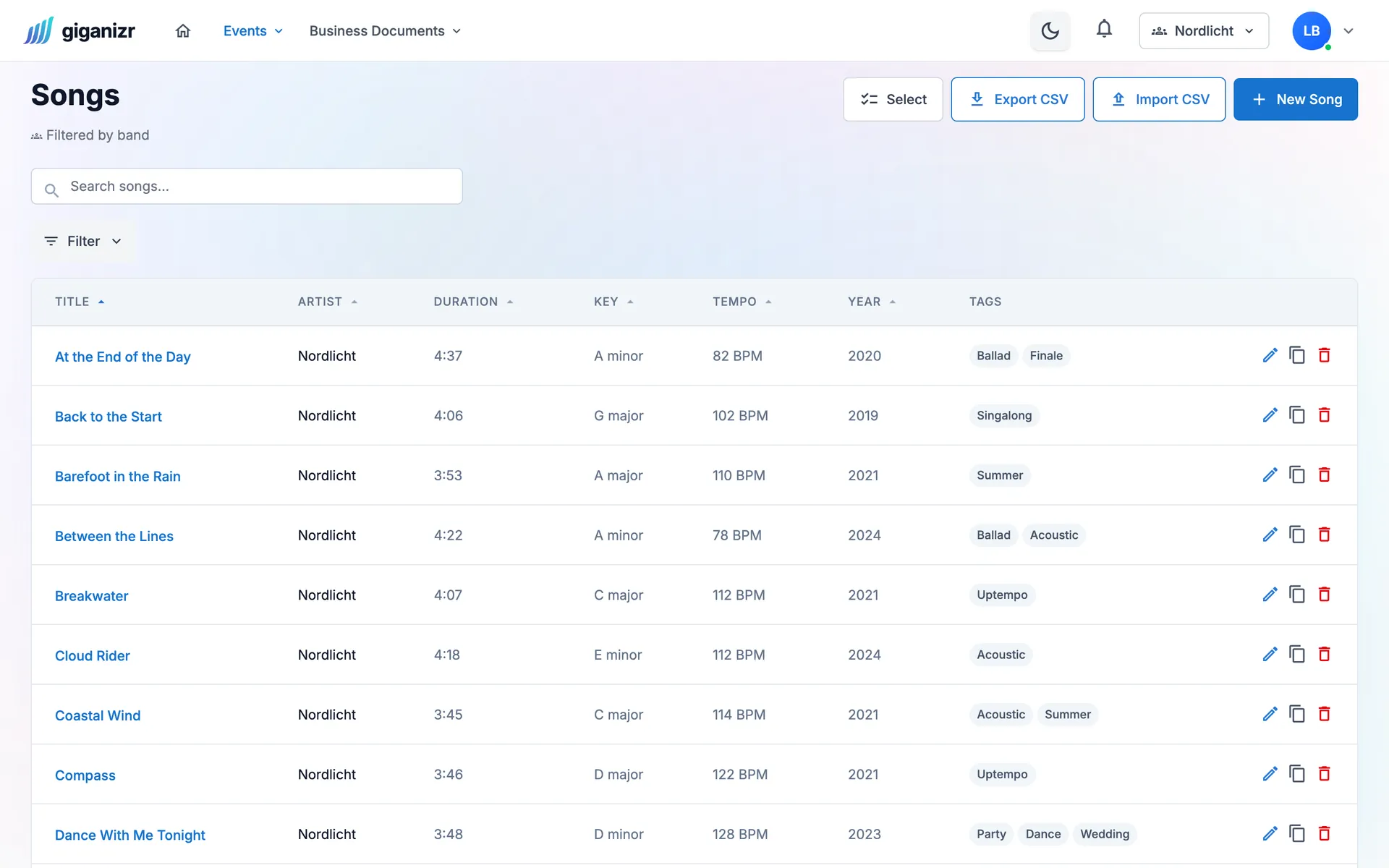
Save your Excel list as CSV, match the columns on import, done. Exporting your repertoire is just as easy.

  • Import with column matching
  • Duplicate songs are detected
  • Export as CSV any time
Song list with key, tempo, duration and tags, plus buttons for CSV import and export

And also

  • Google Contacts

    Your clients’ contacts in your phone’s address book.

  • Separate rehearsal calendar

    Rehearsals and gigs in separate Google calendars.

  • Clear error messages

    If a transfer fails, you see why – and restart it.

  • Renew your calendar link

    You can create a new calendar link at any time.

  • E-invoicing

    XRechnung and ZUGFeRD for your clients’ accounting.

  • PDF for everything

    Setlists, GEMA lists, quotes and invoices as PDFs.

How to connect giganizr

A few clicks per tool.

  1. 1

    Connect your calendar

    Link Google Calendar or subscribe to your calendar link.

  2. 2

    Bring your songs

    Import your Excel list as CSV.

  3. 3

    Export setlists

    Open them in giganizr Stage or export for forScore and MobileSheets.

Frequently asked questions about integrations

Short answers about calendars and sheet music apps.

Are changes in Google Calendar synced back?

Not yet: changes in giganizr land in your Google Calendar, the other direction is in the works.

Can I use Apple or Outlook calendars?

Yes, via your personal calendar link. Subscribe once and the calendar updates itself from then on.

What happens if the calendar transfer fails?

giganizr shows you the error in the band settings, and you can restart the transfer.

Do I need forScore or MobileSheets?

No. With giganizr Stage everyone gets their sheets straight onto their tablet. The exports are for bands who want to keep their sheet music app.

Which plan includes the integrations?

Calendar connection and subscription from the Band plan, the export for forScore and MobileSheets from Band Pro. CSV import works on every plan.

Connect giganizr with your routine

Start for free and link your calendar and song list in a few minutes.

Try it free for 60 days · no credit card · band members free