Concert planning

Every gig in one place – from inquiry to encore

Venue, schedule, setlist, lineup and quote are attached to the concert. Everyone in the band knows when to be where – and you see at a glance what’s still missing.

Try it free for 60 days · no credit card · band members free

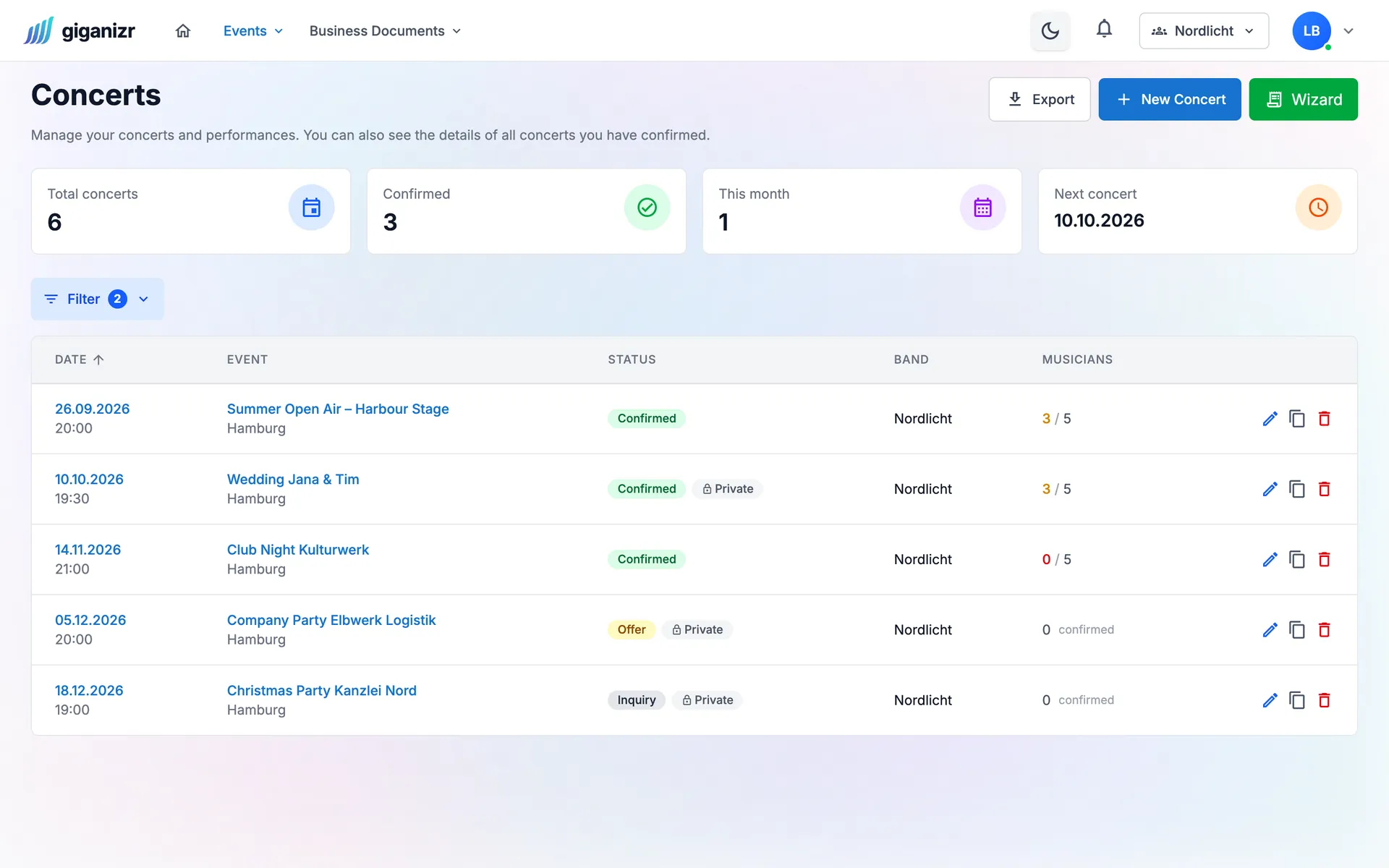
Concert list with statuses like confirmed, offer and inquiry and the number of confirmed musicians
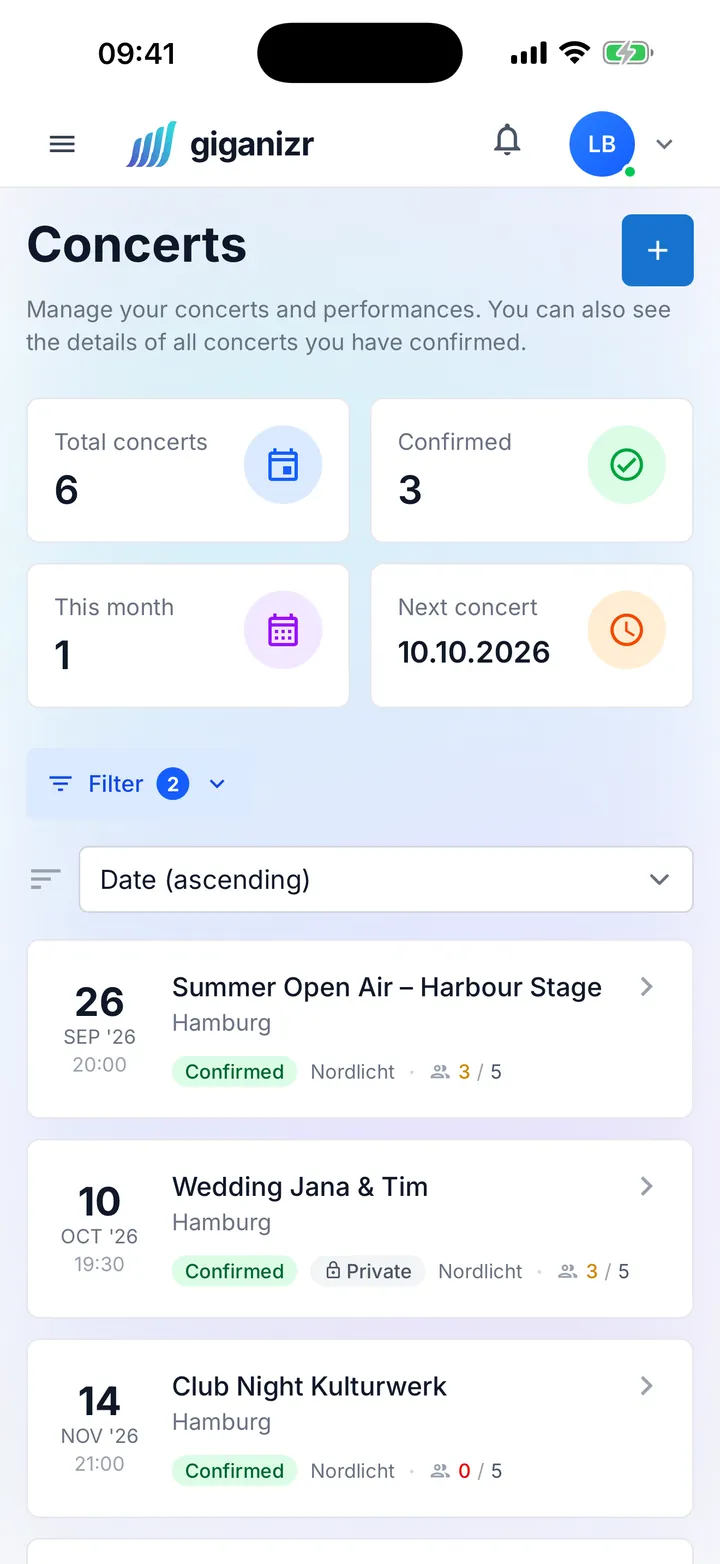
Concert list on the iPhone with date, status and confirmations

What gets easier with every gig

Fewer questions in the group chat, more time for the soundcheck.

Everything about the gig

The whole gig on one page

Date, start, venue, setlist, schedule and documents – everything that belongs to the gig is in one place. And you decide what the band gets to see.

  • Schedule from load-in to doors
  • Create venues once, reuse them
  • Riders, contracts and stage plots right on the gig
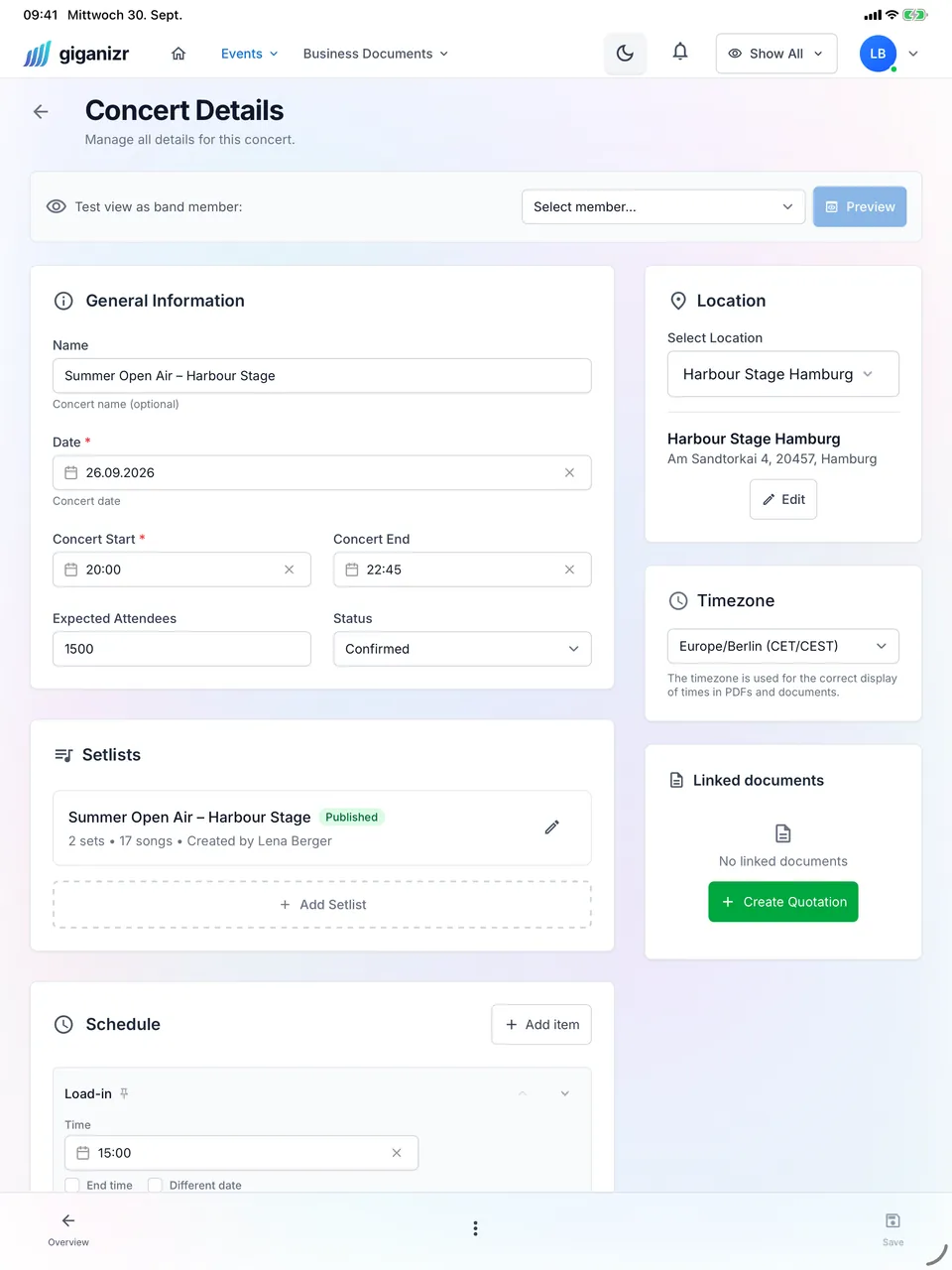
Concert details on the iPad with venue, setlist and schedule

Lineup

See at once who’s playing

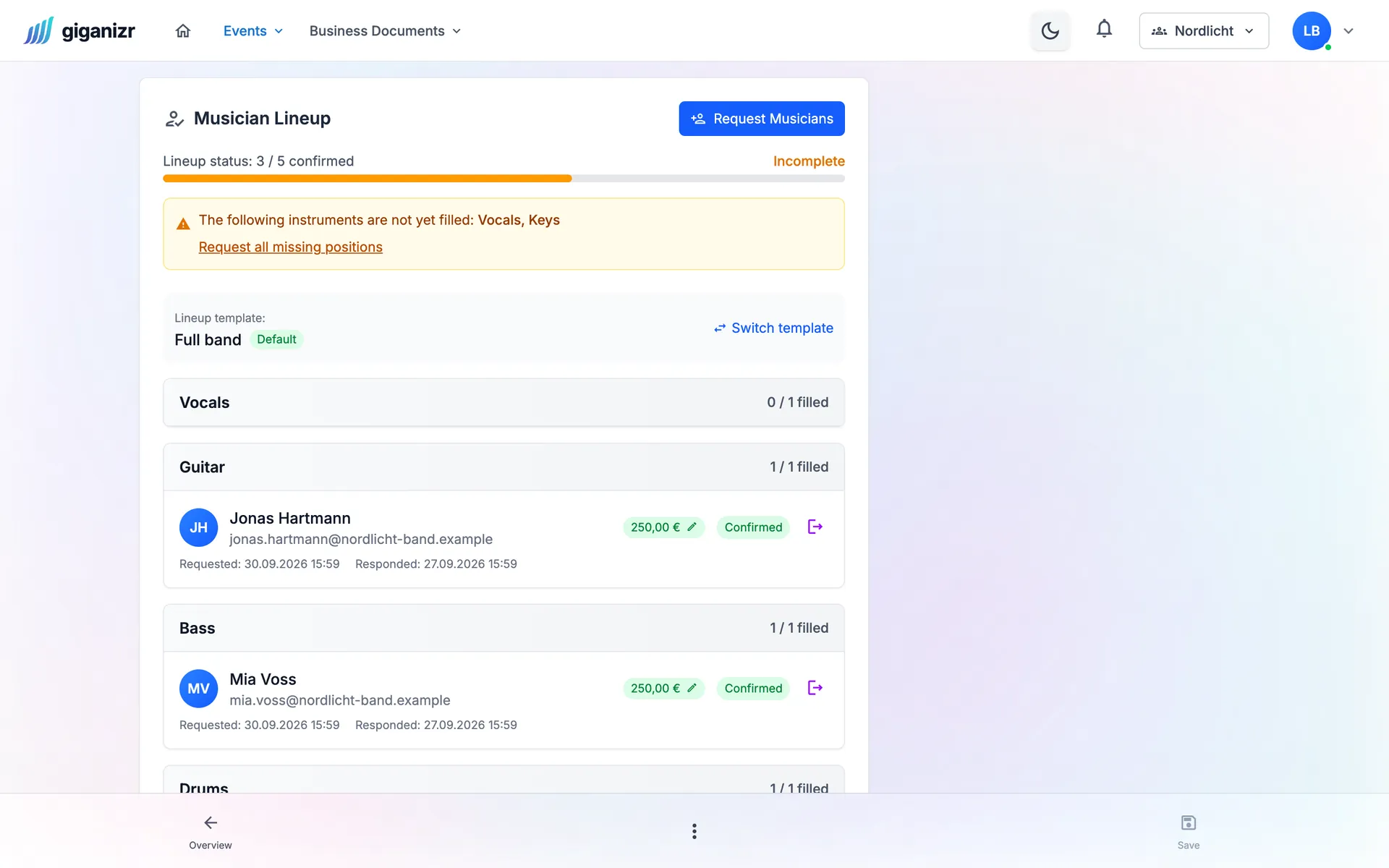
For every position you see who has confirmed and where someone is still missing. You ask stand-ins by link – with their fee – and the answer comes back without a login.

  • Lineup templates for your usual formations
  • Ask several stand-ins in parallel
  • A warning if someone is already booked that day

workspace_premium From Band · included in the 60-day trial

Lineup of a concert: three of five positions confirmed, vocals and keys still open, with a fee per musician

Quote

Turn the gig into a quote

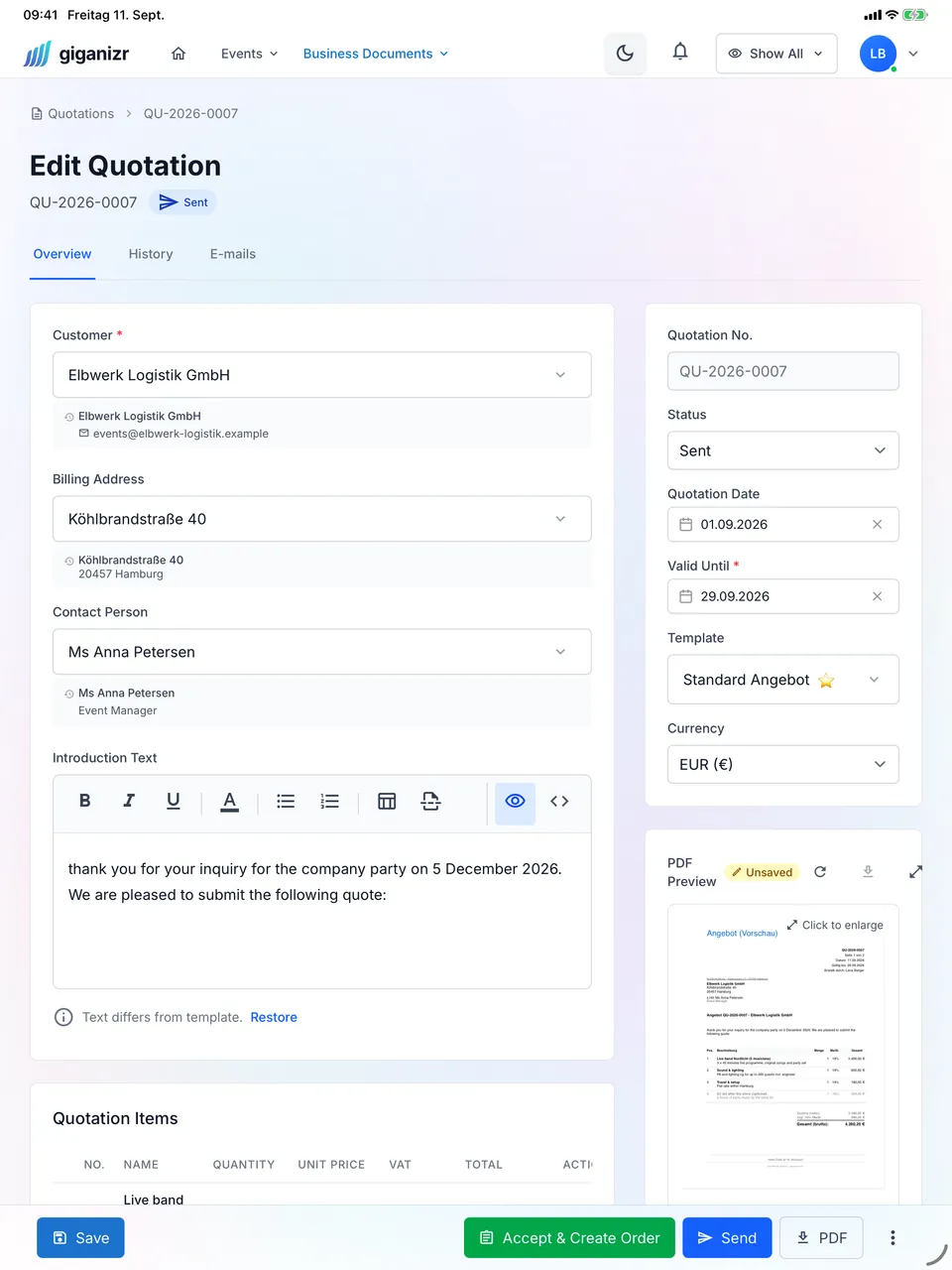
With the concert data you create a quote in a few clicks. Your client accepts it online – then the order confirmation and invoice follow.

  • Online acceptance, no login
  • Fee, tech and travel as line items
  • Invoice straight from the order

workspace_premium Business plan · included in the 60-day trial

Quote on the iPad with PDF preview

And also

  • Status at a glance

    Inquiry, quote, confirmed, completed – the overview shows what’s open.

  • In the band’s calendar

    Confirmed gigs land in Google Calendar or as a calendar subscription on every device.

  • Travel costs calculated

    giganizr works out the distance and cost to the venue for you.

  • Accommodation

    Keep track of hotel rooms for the crew, including arrival and departure.

  • Fees and costs

    Income, expenses and musician fees per concert in view.

  • View as band member

    Check beforehand what your band sees of a gig – without fees, for example.

From the first call to the encore

How a gig runs in giganizr.

  1. 1

    Create the gig

    Enter date, venue and status – as an inquiry, a quote or a confirmed booking.

  2. 2

    Settle schedule and lineup

    Create the schedule, link the setlist and ask for the missing musicians.

  3. 3

    Play and invoice

    After the gig, write the invoice and close the concert.

Frequently asked questions about concert planning

Short answers about your gigs.

Which statuses can a concert have?

Inquiry, quote, confirmed, planned, completed or cancelled. The overview shows right away what’s still open.

Do all band members see every detail?

No. You decide which details the band sees – you can hide fees or client data, for example. The band-member view lets you check beforehand.

How are travel costs calculated?

From the distance between departure address and venue and your rate per kilometre. Travel cost calculation is included in the Business plan.

Do the gigs show up in my calendar?

Yes. Concerts appear in Google Calendar or, via calendar subscription, in Apple and Outlook calendars. You choose which concerts appear in the subscription – from the Band plan.

How many concerts can I plan?

Five concerts per year on the free plan, unlimited from the Band plan.

Plan your next gig in giganizr

Start for free and set up your first show in a few minutes.

Try it free for 60 days · no credit card · band members free