Musicians & stand-ins

Your lineup is settled before you start phoning around

For every gig you see which positions are filled. If someone is missing, ask stand-ins by link – with their fee. The answer comes back without a login.

workspace_premium From Band · included in the 60-day trial

Try it free for 60 days · no credit card · band members free

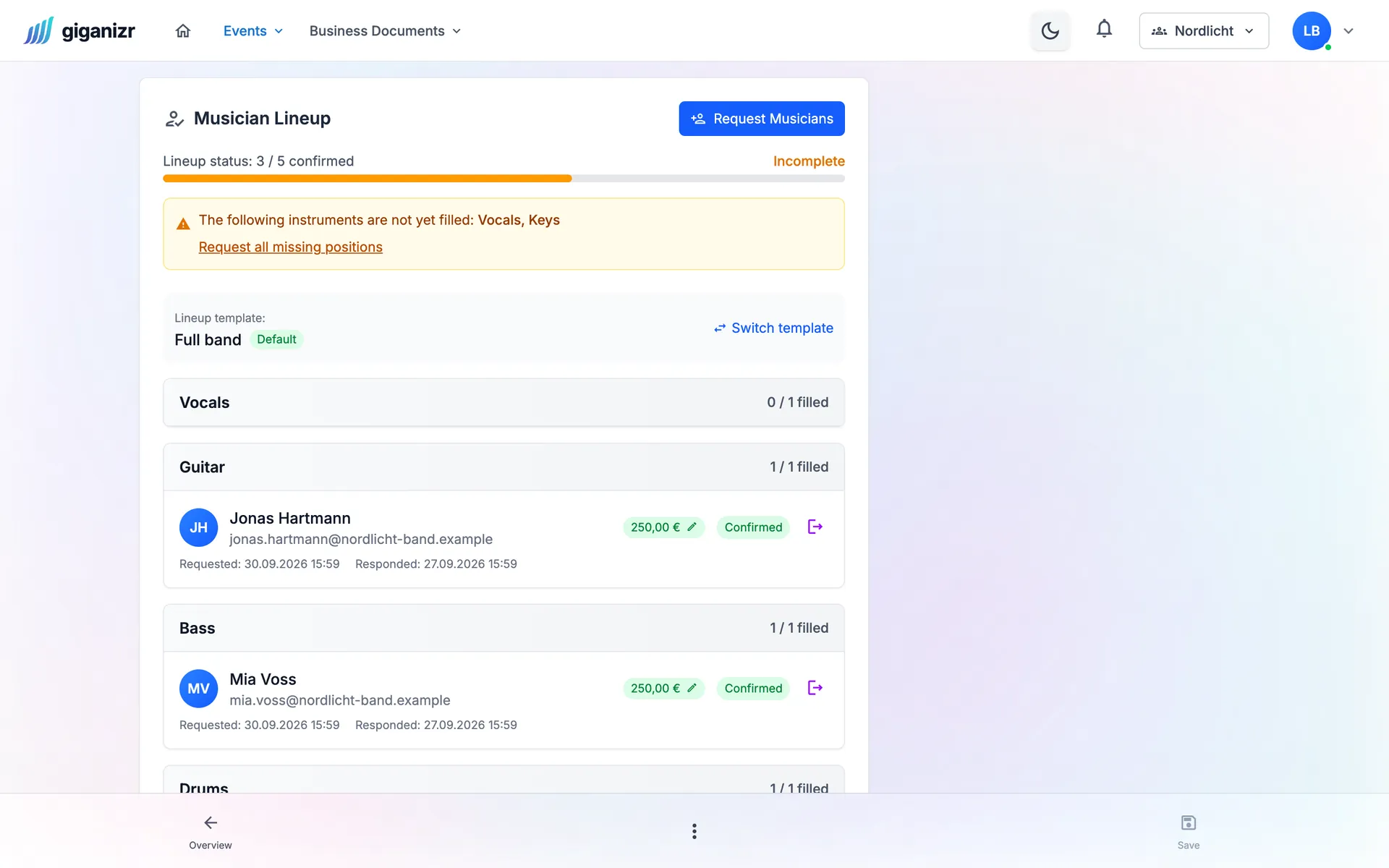
Lineup of a concert: three of five positions confirmed, vocals and keys still open, with a fee per musician
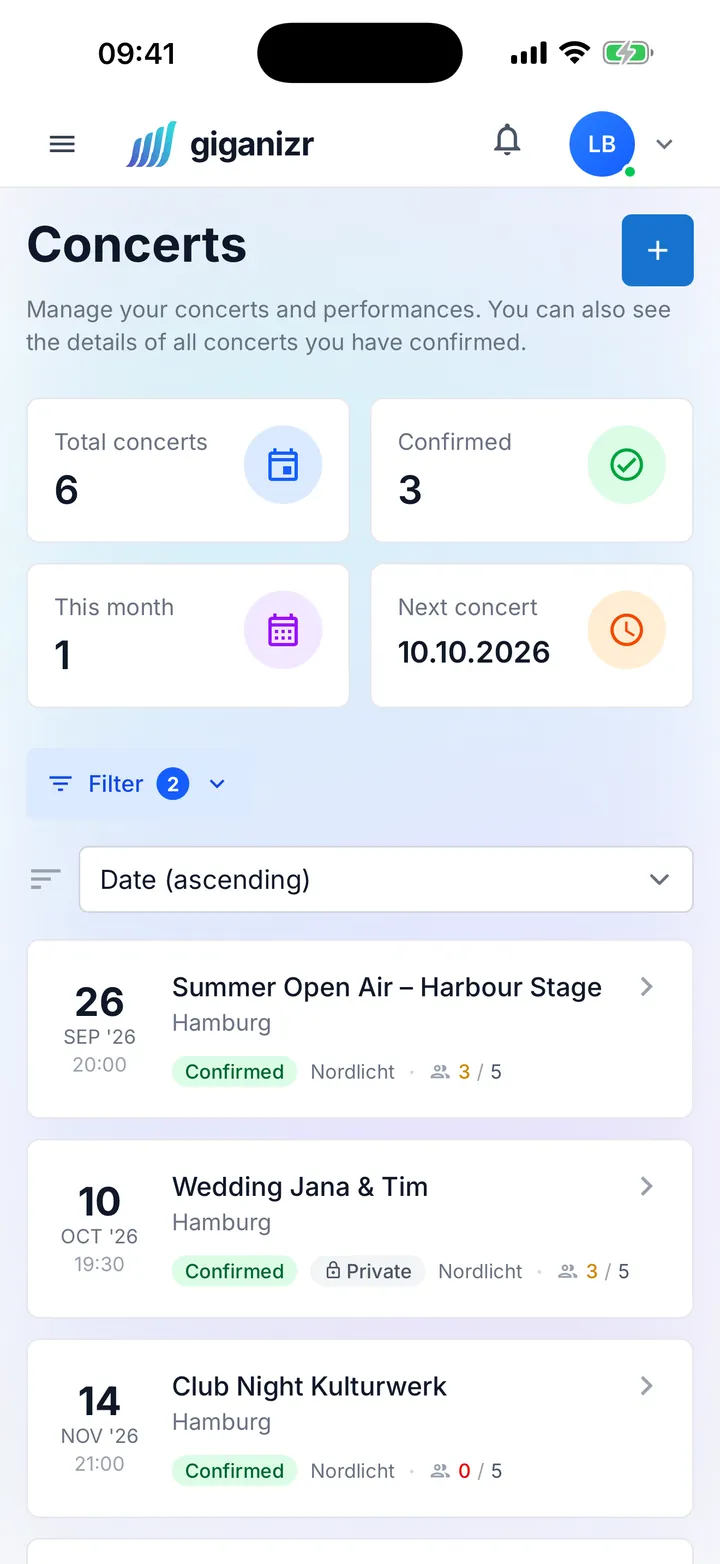
Concert list on the iPhone with date, status and confirmations

Fewer calls, more yeses

Find cover without writing ten separate messages.

Requests

Need a stand-in? One link does it

Ask musicians straight from the gig – with date, venue and fee. They accept or decline with a click, even without a giganizr account.

  • Send fee and note along
  • Ask several musicians for one position in parallel
  • Reminder to everyone who hasn’t answered
Double bookings

No more double bookings

While you pick musicians, giganizr shows who is already booked or asked for that day. So you don’t ask anyone who can’t make it anyway.

  • Warning about date conflicts
  • Release confirmations on purpose
  • Status per position always up to date

Polls

Decide without endless debate

Rehearsal date, setlist question or band shirt: start a poll, the band votes by link and the result is clear.

  • Yes/no, choices or date poll
  • Anonymous if you like
  • Vote by link without an account
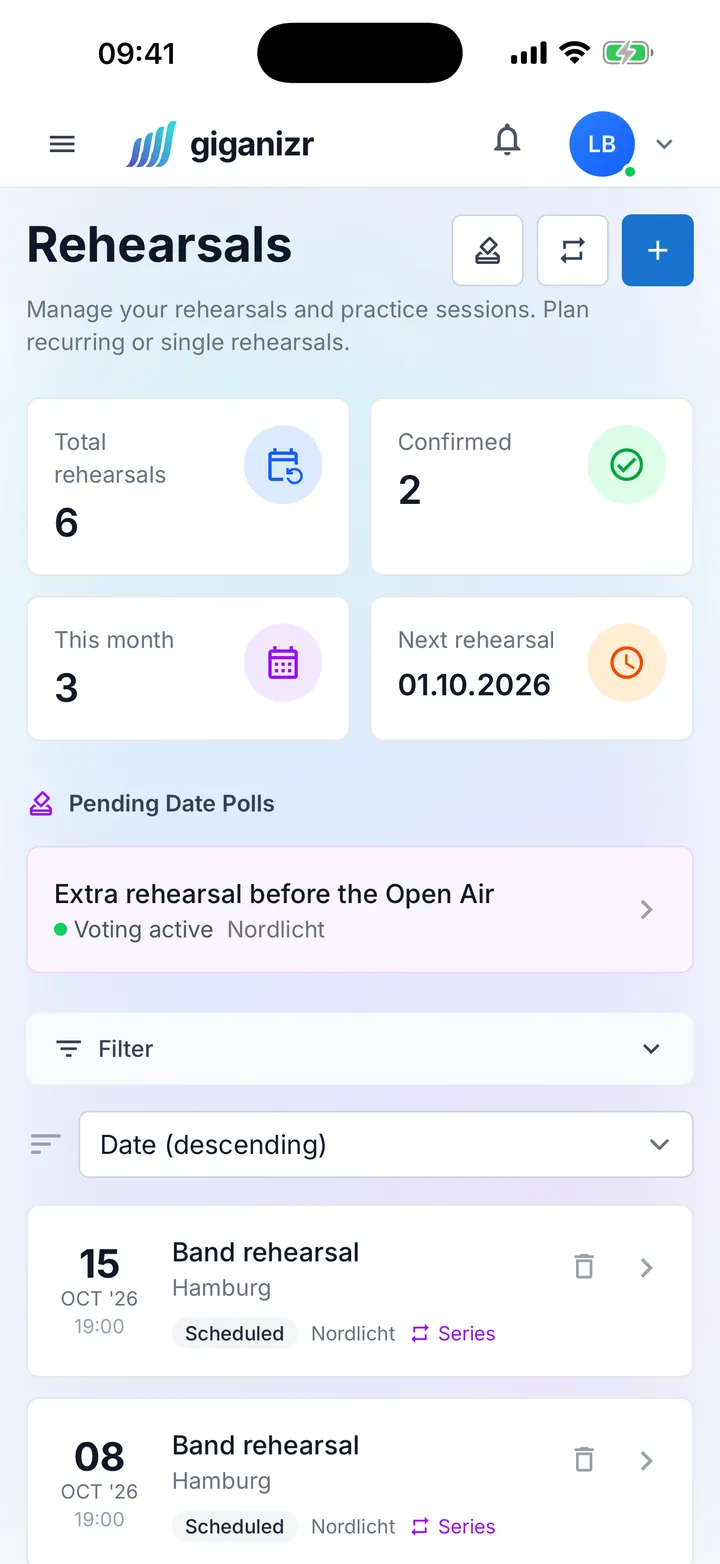
Rehearsal overview on the iPhone with a running date poll

And also

  • Lineup templates

    Create your usual formations once and apply them to new gigs.

  • Confirmations at a glance

    The concert list shows how many musicians have confirmed.

  • Default fees

    Preset fees per band or musician and adjust them when needed.

  • Decline with a reason

    Whoever declines can say why right away.

  • Changing your mind allowed

    If you like, everyone can change their vote later.

  • Results when you want them

    Visible live or only after the poll – you decide.

How to fill your lineup

From empty seat to confirmation.

  1. 1

    Define the lineup

    Pick a template or set the positions for the gig.

  2. 2

    Ask musicians

    Send a link with the fee – to one or several at once.

  3. 3

    Collect confirmations

    The answers come in, and you see right away who’s playing.

Frequently asked questions about musicians and stand-ins

Short answers about requests and polls.

Do stand-ins need an account?

No. Requests and polls work via personal links – one click in the email is enough.

Can I send the fee with the request?

Yes. Every request includes the fee and a note; whoever declines can give a reason.

What if someone is already booked?

giganizr warns you while you choose if a musician has already confirmed or been asked for that day.

Can I run anonymous polls?

Yes. For each poll you decide whether it’s anonymous and whether results are visible during voting.

Which plan includes requests and polls?

The Band plan and above. You can try both during the free trial.

Find your next stand-in with one link

Start for free and send your first request in a few minutes.

Try it free for 60 days · no credit card · band members free