giganizr Stage

Sheet music that follows the setlist

giganizr Stage shows everyone in the band exactly their own sheets, in the order of your setlist – lyrics for the singer, charts for the drummer. Load once at home, turn pages on stage.

workspace_premium From Band Pro · included in the 60-day trial

Try it free for 60 days · no credit card · band members free

giganizr Stage as an app for iPhone and iPad

Download on the App Store

The Android app is coming soon.

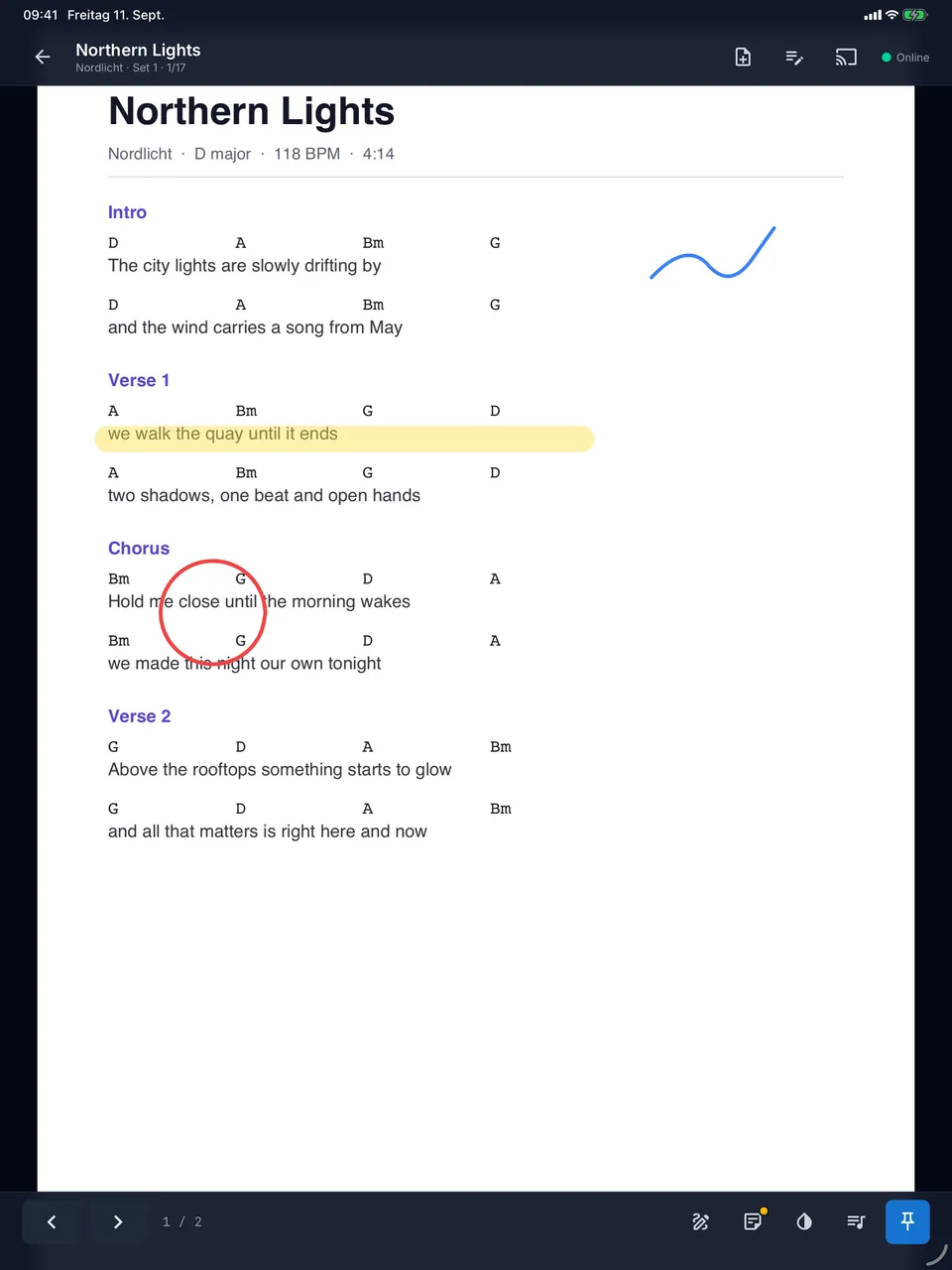
giganizr Stage on the iPad with setlist position, page turning and toolbar
giganizr Stage on the iPhone with sheet music

Made for the moment on stage

No hunting for pages, no paper mess – and no stress when the club Wi-Fi gives up.

The right sheet for everyone

Everyone sees their own sheets

You decide who gets which sheets. The singer sees her lyrics, the guitarist his lead sheets, the drummer his charts – each in setlist order.

  • Sheets as PDFs, stored right on the song
  • Turn pages by tap, swipe or Bluetooth foot pedal
  • The setlist with sets and breaks always beside you
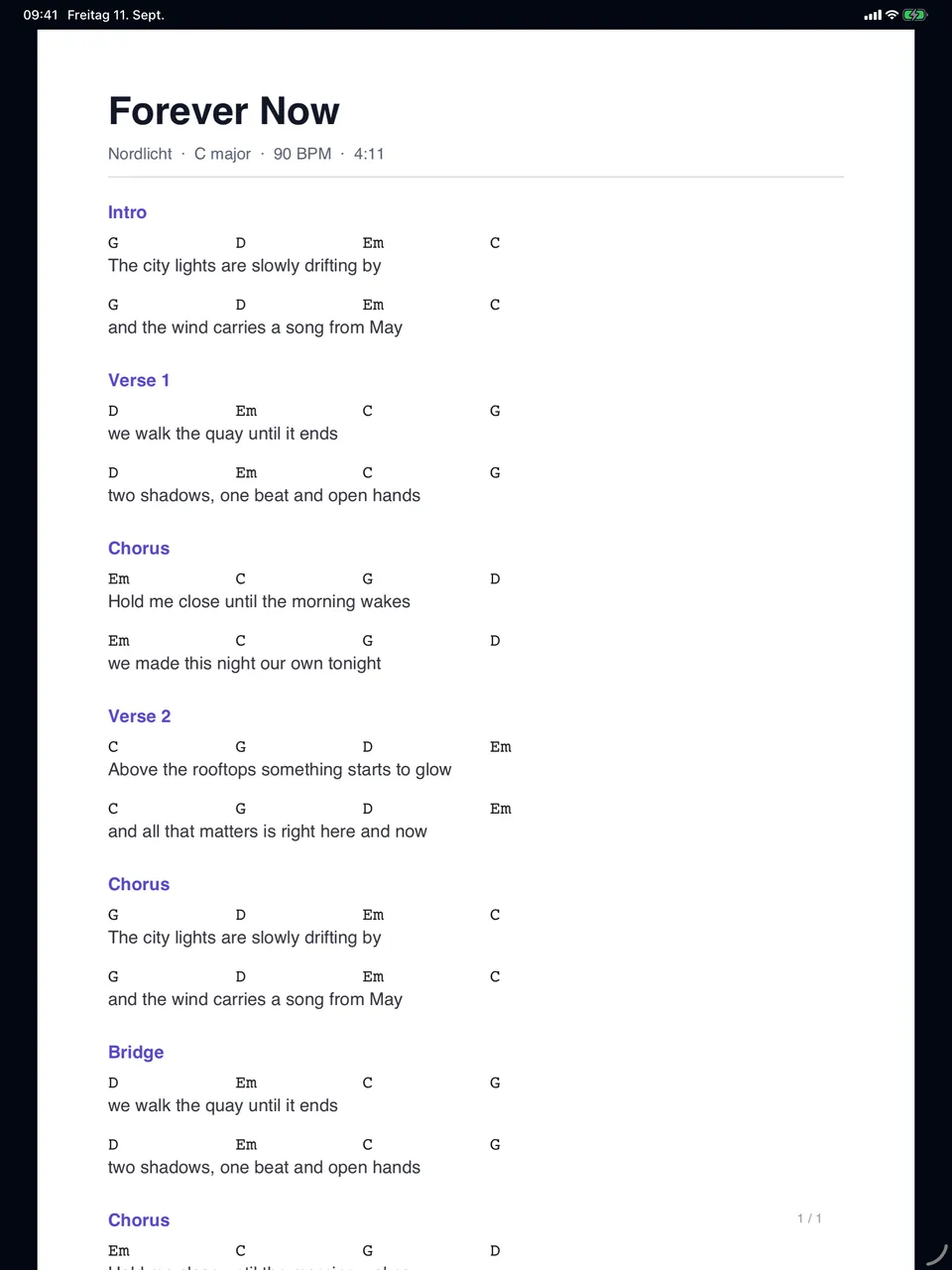
giganizr Stage on the iPad with a song from the wedding setlist

Mark up

Mark up like on paper

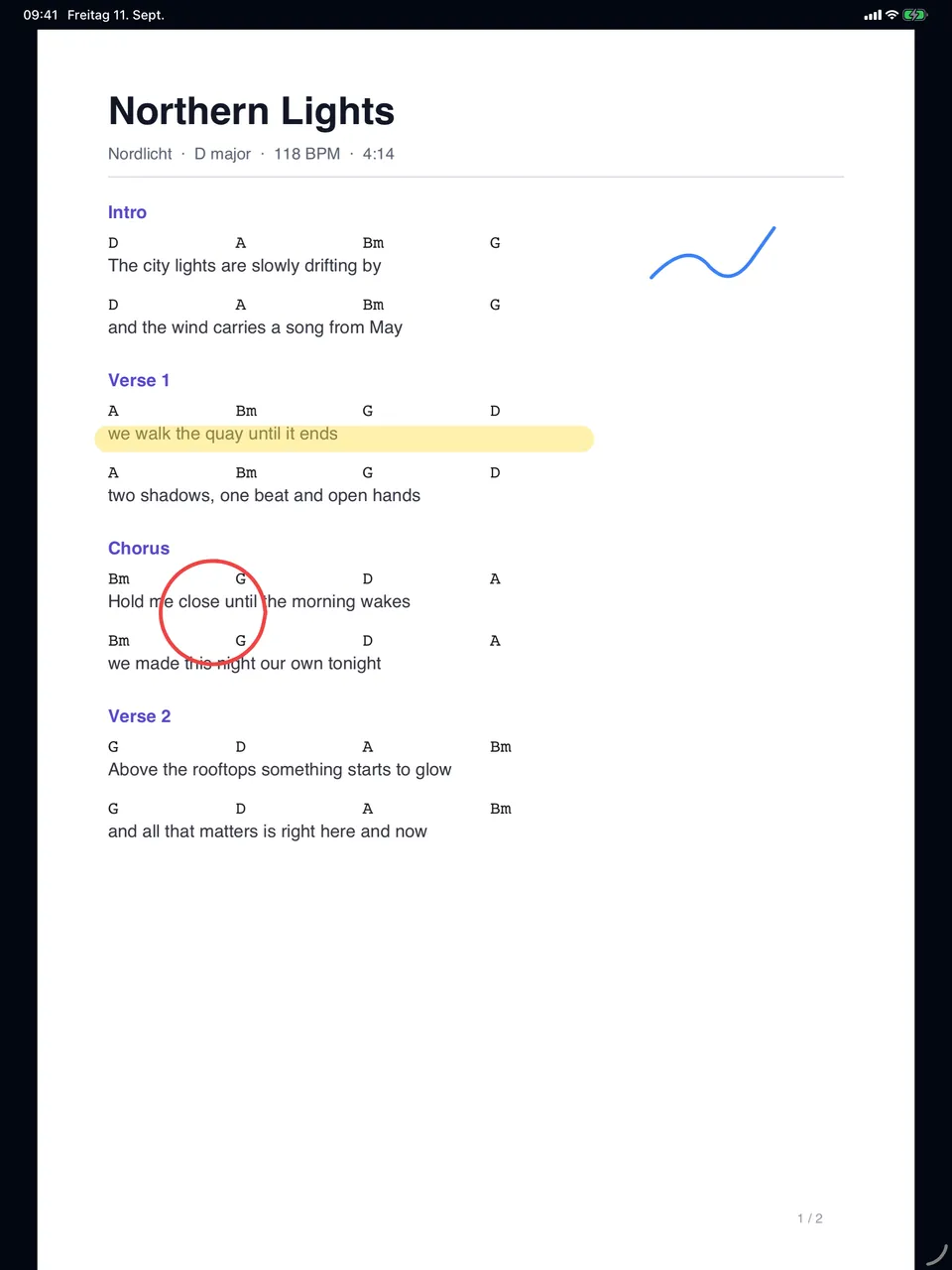
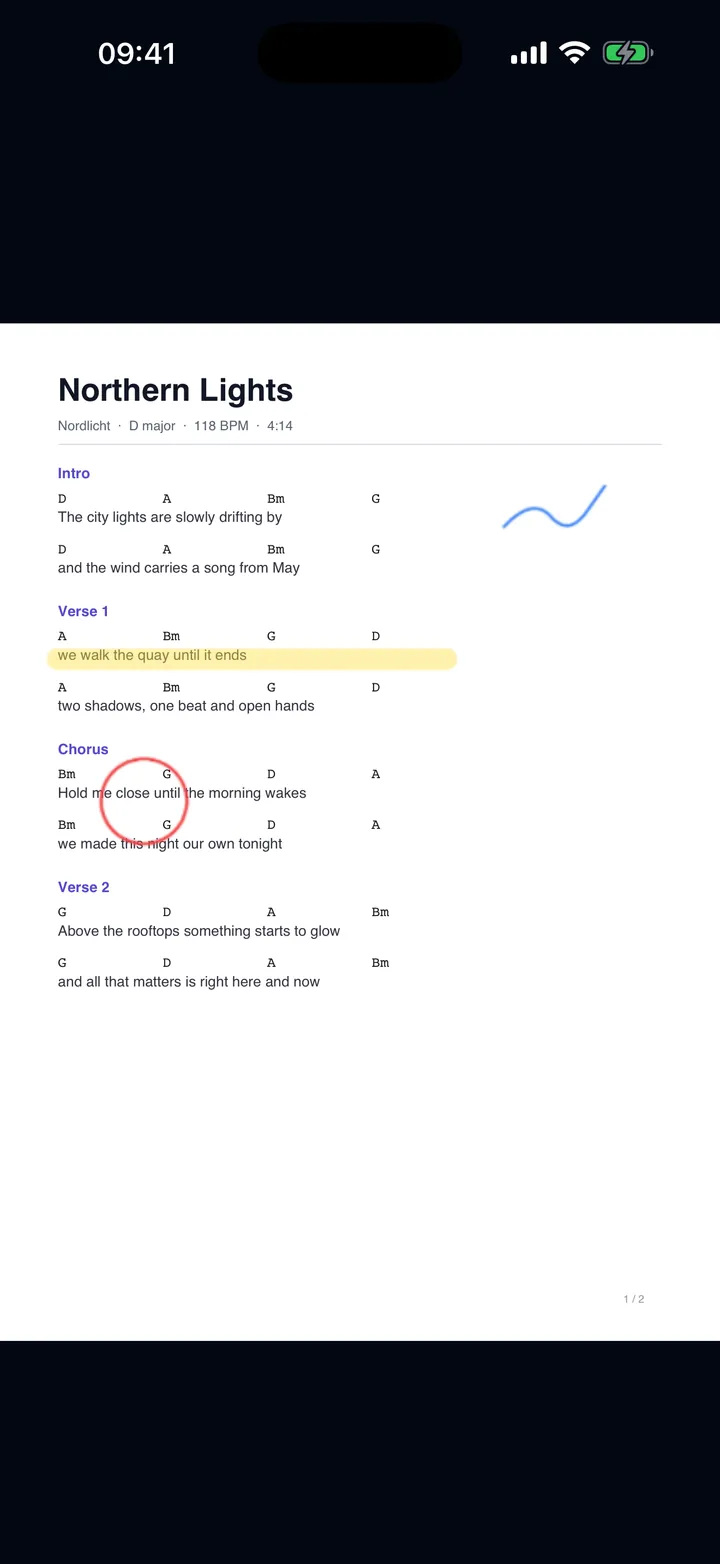
Mark entries, repeats and changes with a pen or your finger – with Apple Pencil on the iPad. Your markings and notes belong to you alone.

  • Pen and highlighter
  • Your own note on every song
  • Still there at the next gig
giganizr Stage on the iPad: sheet music with handwritten markings

On the road

Load at home, play anywhere

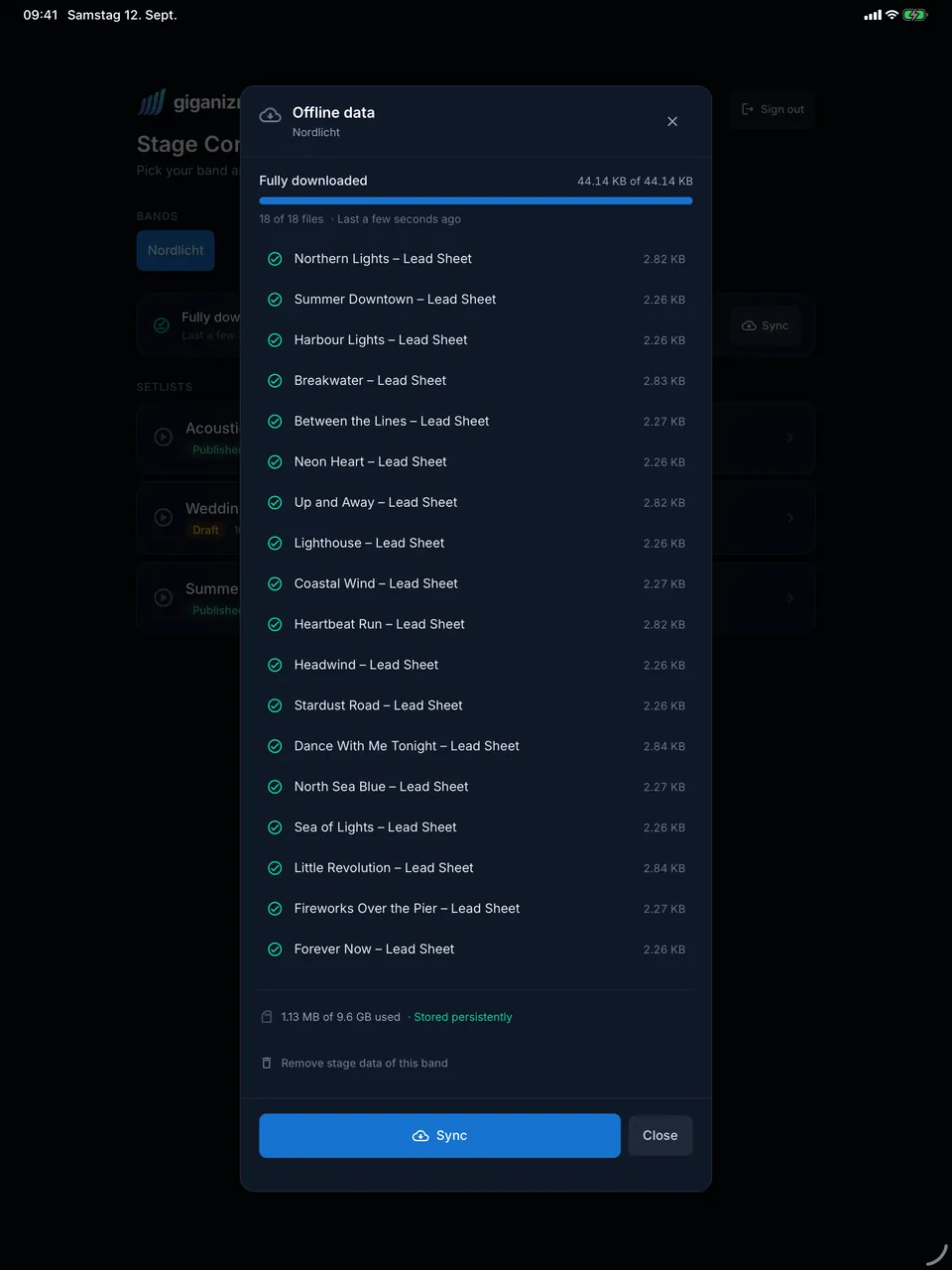
Before the gig you load the sheets onto your device once. On stage you no longer need a network – whether the club Wi-Fi gives up or your phone has no reception.

  • One tap loads all of your band’s setlists
  • Setlist changes reach everyone
  • No update in the middle of a song
giganizr Stage loading the sheets of all of a band’s setlists

Dark stage

Night mode for dark stages

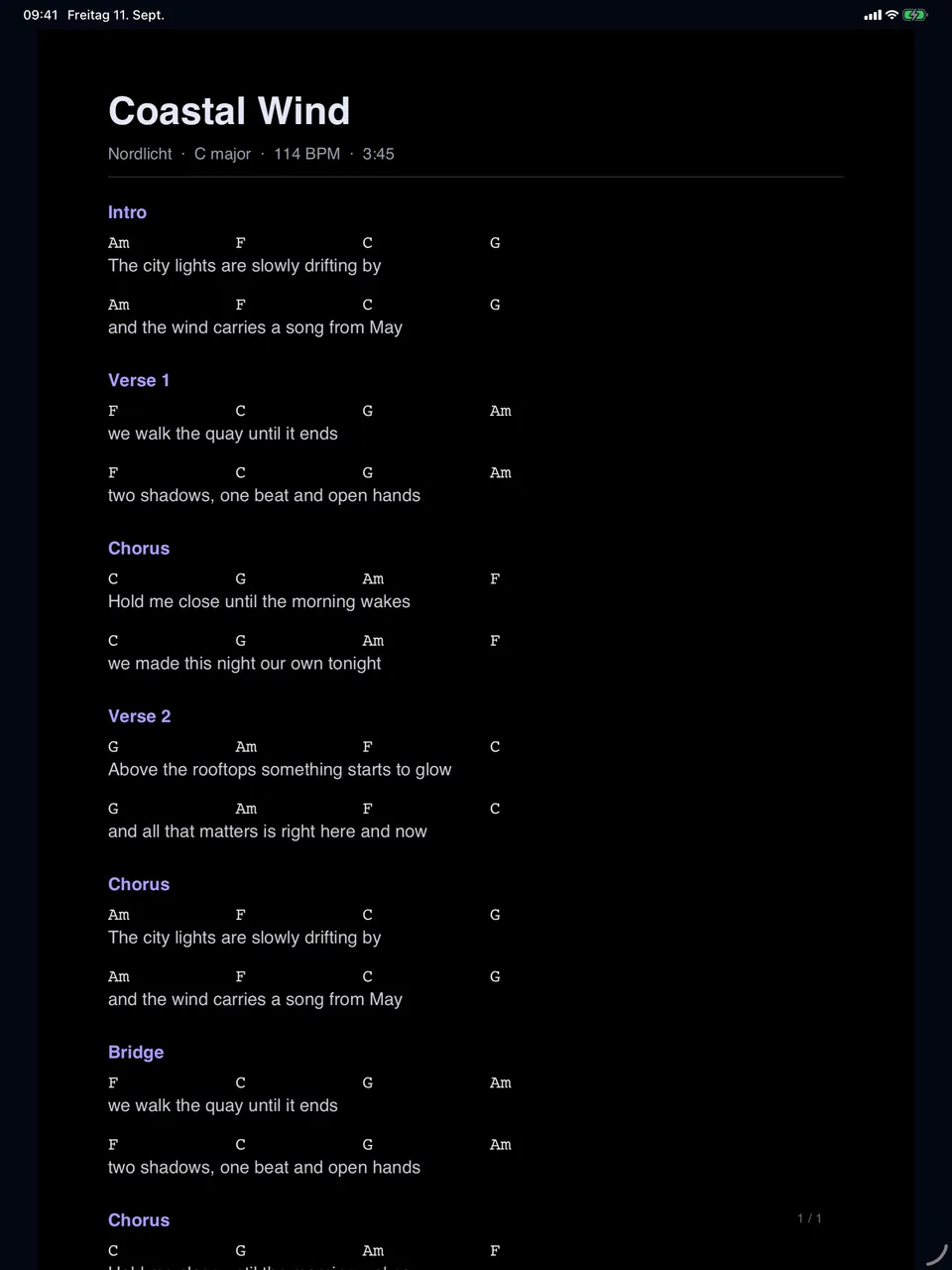
White notes on a dark background don’t dazzle and stay easy to read. Your tablet is no longer the brightest lamp on stage.

  • Invert sheets with one tap
  • Controls step back while you play
giganizr Stage in night mode: light notes on a dark background

And also

  • One turns pages for all

    In master mode on iPhone and iPad, the band’s devices follow when the bandleader turns a page or jumps to the next song – straight from device to device.

  • Rearrange the setlist on stage

    Slip in an encore, drop a song, swap the order – right in the app, even without a network.

  • Band note

    Hints like “intro twice” on the song are seen by everyone they’re meant for.

  • Your own page order

    Everyone sorts their sheets the way they need them on stage.

  • Hands on the instrument

    With a Bluetooth foot pedal you turn pages without letting go.

  • For the whole band

    All members use the app with their giganizr account – no subscription of their own.

How your sheets get on stage

Prepared once, ready at every gig.

  1. 1

    Upload sheets

    Upload the PDFs for your songs and decide who gets which sheets.

  2. 2

    Load at home

    Everyone opens giganizr Stage and loads the band’s setlists onto their device.

  3. 3

    Play on stage

    Open the setlist and go – song by song, without searching.

Frequently asked questions about giganizr Stage

What you want to know before your first gig with the app.

Do I need internet on stage?

No. You load setlists, sheets and notes onto the device beforehand; after that giganizr Stage runs without a network – even in flight mode. The app only updates at launch, never while you play.

Which files can I use?

PDFs. Upload sheets, lead sheets and lyric sheets as PDFs to the song – in giganizr on your computer or straight from the app when you have a connection.

Does everyone see the same sheets?

No, everyone sees their own. On each song you decide who the sheets are meant for. Markings and personal notes are only seen by their owner.

What happens if we rearrange the setlist just before the gig?

The new order reaches the whole band within half a minute – as a notice everyone accepts when it suits them. Never in the middle of a song.

Can one person turn pages for everyone?

Yes, on iPhone and iPad: in master mode the band’s devices follow as soon as the bandleader turns a page or jumps to the next song – provided everyone has the same sheets open.

Which plan do I need?

giganizr Stage is included from the Band Pro plan. The plan covers the band – all members use the app with their own account, without a subscription of their own.

Try giganizr Stage at your next rehearsal

Create an account, upload sheets, get the app – done.

Try it free for 60 days · no credit card · band members free